

Portabase DashboardUsage (How-to)Notification
Microsoft Teams
Send alerts directly to your Microsoft Teams channels.
Microsoft Teams notifications use an Incoming Webhook connector to post messages to a specific channel.
Microsoft Teams configuration
In Teams, go to the channel you want to notify, then Channel options > Connectors (or Workflows depending on your tenant).
Add an Incoming Webhook connector, give it a name (e.g., "Portabase"), and copy the generated Webhook URL.
Configuration on the dashboard
Go to Notifications > Channels, click on + Add Notification Channel, and choose Microsoft Teams.
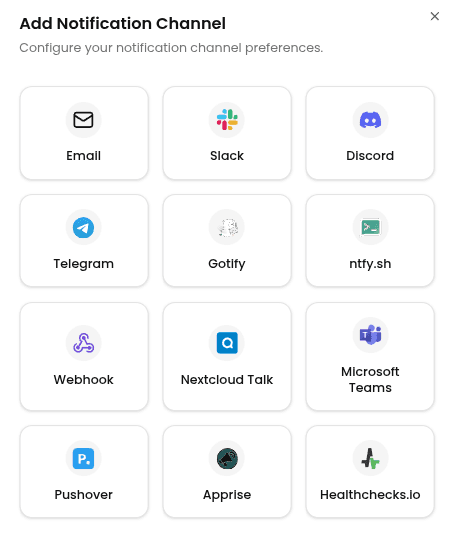
Enter the following information:
- Channel Name: A label for this channel in Portabase.
- Teams Webhook URL: The webhook URL obtained earlier.
Then click Add Channel.
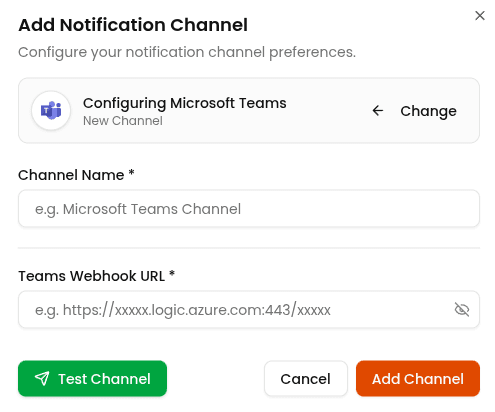
To test the configuration, click the channel's edit icon, then click Test Channel. Verify that a test message appears in the selected Teams channel.
Last updated on