

Healthchecks.io
Monitor your backups with a dead man's switch and get alerted when a backup stops running.
Healthchecks.io watches for pings that are supposed to arrive on a schedule. If a ping does not arrive in time, it alerts you.
This flips the usual notification model. Slack or Discord tell you when a backup fails; Healthchecks tells you when a backup stops happening at all — a crashed agent, a paused schedule, a container that never restarted. Those silent failures are the ones you notice too late.
Healthchecks.io is open source. These steps apply to the hosted service and to a self-hosted instance alike — only the ping server URL differs.
Choosing between a check UUID and a project ping key
Portabase can address your checks in two ways. Pick one before configuring the channel.
| Check UUID | Project ping key | |
|---|---|---|
| Pings | one single check | any check, addressed by slug |
| Channels needed | one per check | one for every database |
| Where to find it | on the check's page | in your project settings |
Configuration on Healthchecks
Create a check and give it a name, for example portabase-production.
Set the Period to the interval between two backups, and the Grace Time to how long a backup may be late before you want to be alerted. A daily backup that takes about twenty minutes fits a period of 1 day and a grace time of 1 hour.
Copy the check's UUID, or, if you plan to cover several databases from one channel, copy the ping key from your project settings instead.
Configuration on the dashboard
Go to Notifications > Channels, click on + Add Notification Channel, and choose Healthchecks.io.
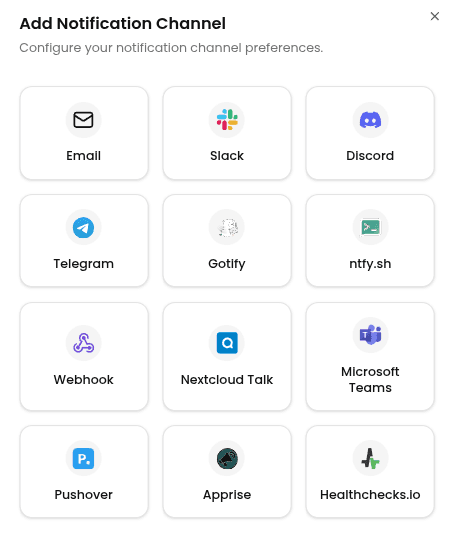
Enter the following information:
- Channel Name: A label for this channel in Portabase.
- Ping Server URL: Leave
https://hc-ping.comas is for the hosted service, or point it at your self-hosted instance. - Check UUID or Ping Key: The check UUID, or the project ping key when you want to address checks by slug.
- Use database name as slug (Optional): One channel for every database — the slug is derived from the database name of each event. Requires a project ping key, not a check UUID.
- Slug (Optional): The slug to ping. Leave it empty when the field above holds a check UUID.
- Create missing checks (Optional): Adds
?create=1so a slug with no matching check is created on its first ping. Ignored when pinging a check UUID.
Then click Add Channel.
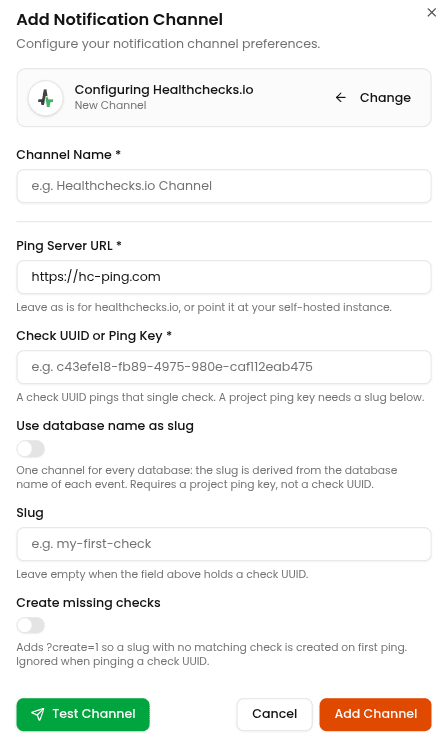
To test the configuration, click the channel's edit icon, then click Test Channel. The check should turn green in Healthchecks within a few seconds.
Treat the check UUID and the project ping key like passwords. Anyone who has them can mark your checks as up and hide a real outage.
Last updated on