

PocketID
Configuration guide for PocketID via OIDC in Portabase.
The integration of PocketID offers a lightweight authentication solution, ideal for self-hosting your Portabase instance.
Configuration Steps
Create an Application
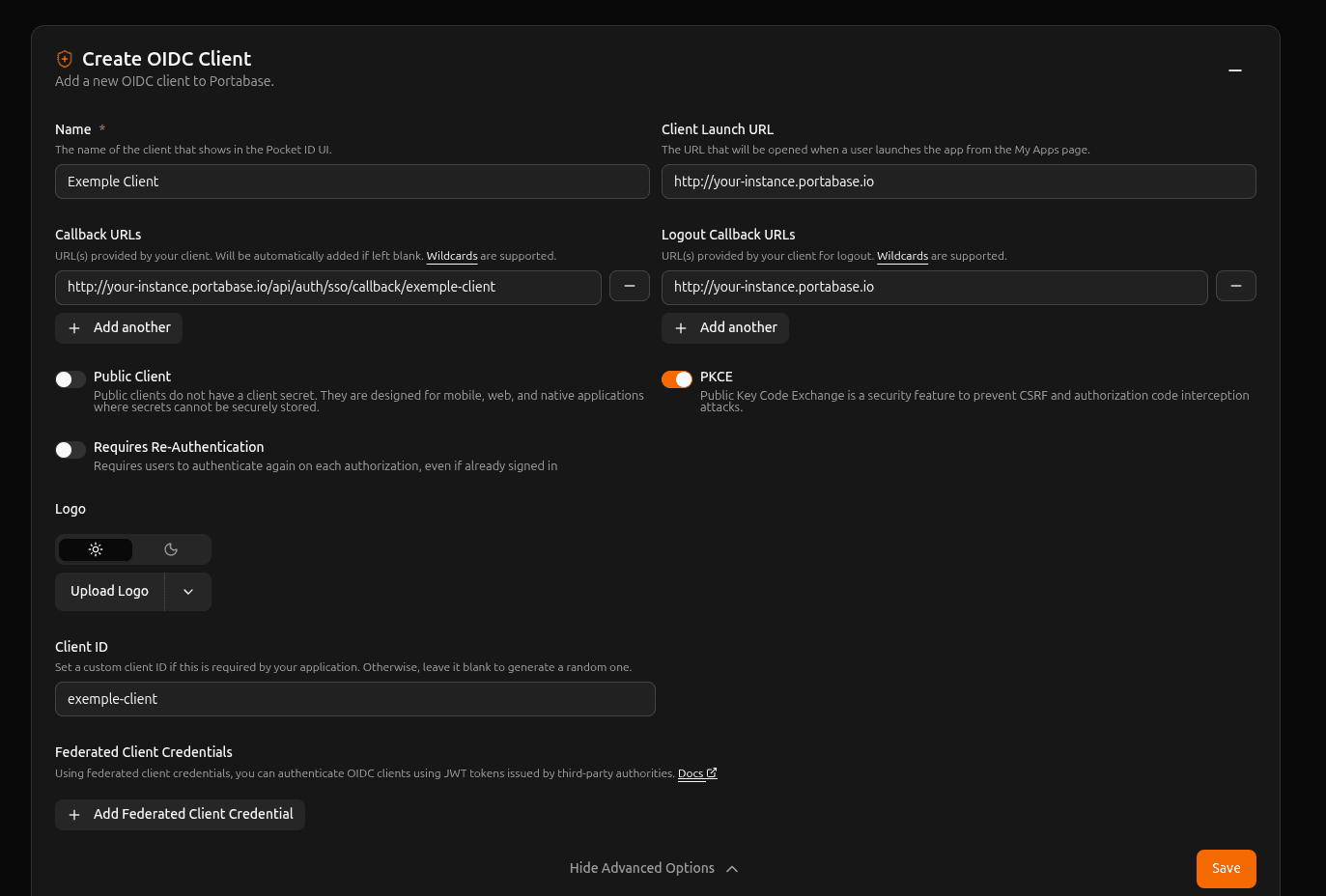
Log in to the PocketID administration interface and create a new application:
- Application name:
portabase(or the name of your choice).
Redirect Settings
Set the authorized redirect URL to allow returning to Portabase after logging in:
- Callback URL / Redirect URI:
https://portabase.your-domain.com/api/auth/sso/callback/pocketid
Get Credentials
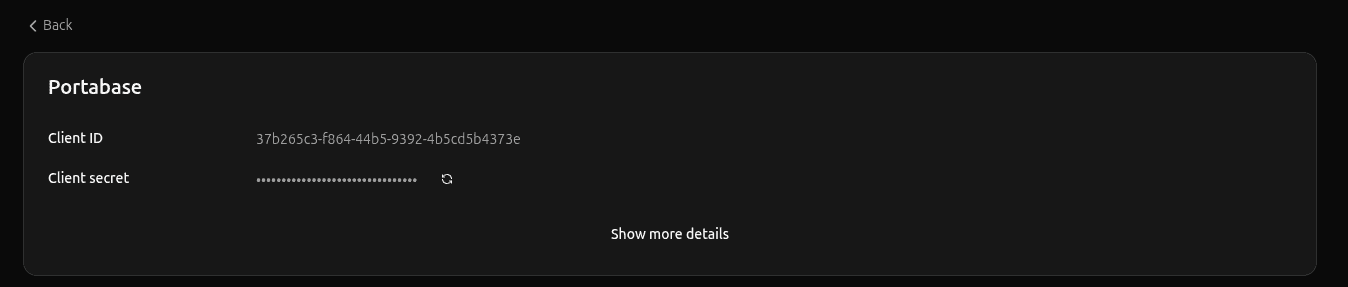
Save the configuration. You can then copy the Client ID and generate your Client Secret to add them to your environment variables.
Environment Variables
Configure Portabase with the following values. This example uses the dynamic AUTH_OIDC_POCKET_ prefix to isolate the configuration.
# Identifier and Title
AUTH_OIDC_POCKET_ID="pocketid"
AUTH_OIDC_POCKET_TITLE="PocketID"
AUTH_OIDC_POCKET_DESC="Login via my PocketID instance"
AUTH_OIDC_POCKET_ICON="https://github.com/user-attachments/assets/4ceb2708-9f29-4694-b797-be833efce17d"

# OIDC Credentials
AUTH_OIDC_POCKET_CLIENT="portabase"
AUTH_OIDC_POCKET_SECRET="your-pocketid-secret"
AUTH_OIDC_POCKET_ISSUER_URL="https://pocketid.your-domain.com"
AUTH_OIDC_POCKET_HOST="pocketid:3000" # If in the same Docker network or pocketid.your-domain.com

# Advanced Settings
AUTH_OIDC_POCKET_SCOPES="openid profile email groups"
AUTH_OIDC_POCKET_PKCE=true

# Role Mapping
AUTH_OIDC_POCKET_ROLE_MAP="admin:admin,default:user"

AUTH_OIDC_POCKET_ALLOW_UNLINKING=false

TRUSTED_DOMAINS="https://{Pocket ID URL},https://{Portabase URL}"
PocketID allows passing user groups. Use AUTH_OIDC_POCKET_ROLE_MAP to automatically grant the administrator role to members of your admin group.
Specific Endpoints (Optional)
If automatic discovery doesn't work, you can manually specify the endpoints:
AUTH_OIDC_POCKET_DISCOVERY_ENDPOINT="https://pocketid.your-domain.com/.well-known/openid-configuration"
AUTH_OIDC_POCKET_JWKS_ENDPOINT="https://pocketid.your-domain.com/.well-known/jwks.json"
Last updated on